


Definition · What Is
What Is a Windows Server VPS Hosting ?
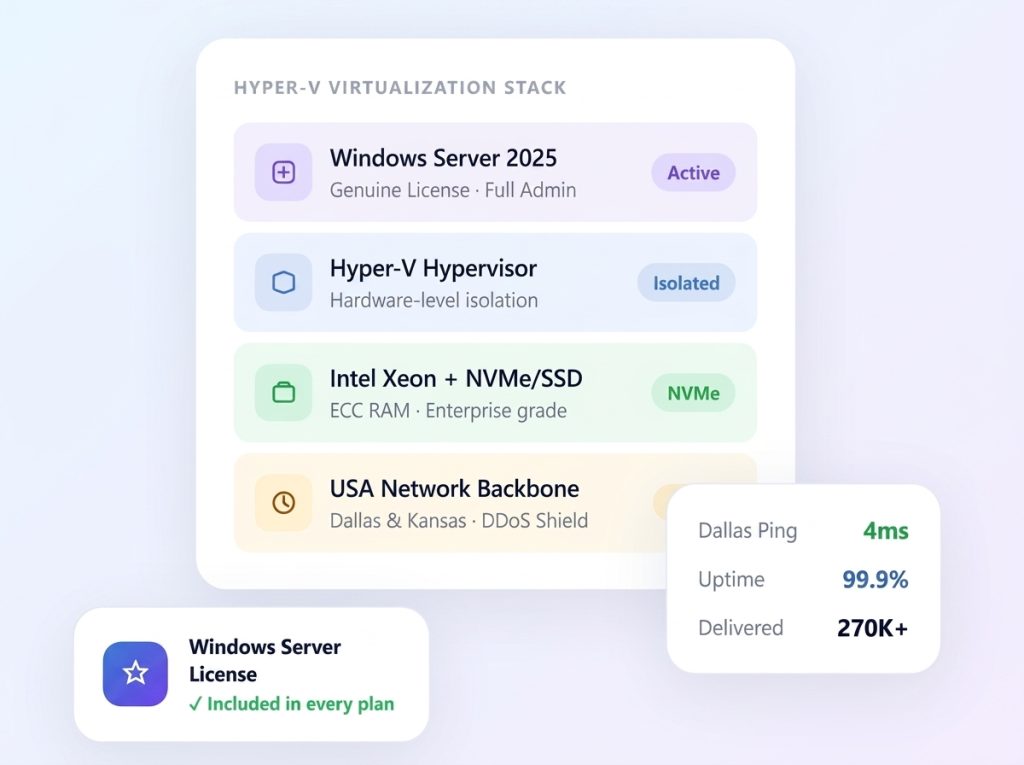
A Windows Server VPS is a virtual server that runs a Windows Server operating system, such as Windows Server 2016, 2019, 2022 or 2025. With Windows Server VPS Hosting from Bluehost Pakistan, you get a virtualized hosting environment with allocated resources, including CPU, RAM and storage.
You can connect to your Windows VPS remotely through Remote Desktop Protocol (RDP). This lets you manage your server through a familiar Windows interface. Bluehost Pakistan’s Windows VPS Hosting is designed for business websites, software applications, remote desktop access, development projects and other Windows-based workloads.
- You want to access and manage your Windows VPS remotely using RDP.
- Your applications use .NET, ASP.NET, IIS, MSSQL or other Microsoft technologies.
- You need a server to run applications and automation tasks around the clock.
- You require Administrator access to install and configure compatible Windows software.
- Your projects need a specific server location or IP address for business applications and remote connectivity.
FLEXIBLE PRICING
Windows Server VPS Hosting Plans
Explore affordable Windows Server VPS Hosting plans from Bluehost Pakistan. Compare available server resources, Windows licensing options and pricing to find a suitable VPS for your business applications and projects. Choose a plan that matches your requirements without committing to an unsuitable configuration.
Express Windows RDP
Rs
200
/year
save 51% (Was $5.99)
- 1mo
- 3mo
- 12mo
- 24mo
CPU: 2 CPU Cores ⓘ
Memory: 4GB RAM
Disk: 60GB SSD
Bandwidth: 100Mbps Unmetered
- IP: 1 Public Shared ⓘ
- Location: USA
- Backup: Once per 4 Weeks
Express Plus Windows RDP
Rs
200
/year
save 51% (Was $5.99)
- 1mo
- 3mo
- 12mo
- 24mo
CPU: 3 CPU Cores
Memory: 6GB RAM
Disk: 100GB SSD
Bandwidth: 100Mbps Unmeteredⓘ
- IP: 1 Public Shared ⓘ
- Location: USA
- Backup: Once per 4 Weeks
Basic Windows RDP
Rs
200
/year
save 51% (Was $5.99)
- 1mo
- 3mo
- 12mo
- 24mo
CPU: 4 CPU Cores
Memory: 8GB RAM
Disk: 140GB SSD
Bandwidth: 200Mbps Unmeteredⓘ
- IP: 1 Public Shared ⓘ
- Location: USA
- Backup: Once per 4 Weeks
Basic Plus Windows RDP
Rs
200
/year
save 51% (Was $5.99)
- 1mo
- 3mo
- 12mo
- 24mo
CPU: 6 CPU Cores
Memory: 12GB RAM
Disk: 180GB SSD
Bandwidth: 200Mbps Unmeteredⓘ
- IP: 1 Public Shared ⓘ
- Location: USA
- Backup: Once per 4 Weeks
Professional Windows RDP
Rs
200
/year
save 51% (Was $5.99)
- 1mo
- 3mo
- 12mo
- 24mo
CPU: 8 CPU Cores
Memory: 18GB RAM
Disk: 240GB SSD
Bandwidth: 300Mbps Unmeteredⓘ
- IP: 1 Public Shared ⓘ
- Location: USA
- Backup: Once per 4 Weeks
Professional Plus Windows RDP
Rs
200
/year
save 51% (Was $5.99)
- 1mo
- 3mo
- 12mo
- 24mo
CPU: 8 CPU Cores
Memory: 24GB RAM
Disk: 280GB SSD
Bandwidth: 300Mbps Unmeteredⓘ
- IP: 1 Public Shared ⓘ
- Location: USA
- Backup: Once per 4 Weeks
Advanced Windows RDP
Rs
200
/year
save 51% (Was $5.99)
- 1mo
- 3mo
- 12mo
- 24mo
CPU: 10 CPU Cores
Memory: 28GB RAM
Disk: 320GB SSD
Bandwidth: 500Mbps Unmeteredⓘ
- IP: 1 Public Shared ⓘ
- Location: USA
- Backup: Once per 4 Weeks
Advanced Plus Windows RDP
Rs
200
/year
save 51% (Was $5.99)
- 1mo
- 3mo
- 12mo
- 24mo
CPU: 16 CPU
CoresMemory: 32GB RAM
Disk: 400GB SSD
Bandwidth: 500Mbps Unmeteredⓘ
- IP: 1 Public Shared ⓘ
- Location: USA
- Backup: Once per 4 Weeks
- If your projects require advanced graphics processing, explore our GPU VPS Hosting solutions, designed for graphics-intensive applications and demanding computing workloads.
- If you need greater processing power, dedicated resources and additional storage, consider our Dedicated Server Hosting solutions.
- Looking for more hosting options? Explore our VPS Hosting Plans to compare available configurations and find the right solution for your needs.
Price Comparison
Choosing the right Windows Server VPS involves more than comparing the advertised monthly price. Consider the Windows Server licensing costs, available resources and any additional charges before selecting a plan. Compare the available options from Bluehost Pakistan to understand the overall cost and choose a VPS that fits your budget and hosting requirements.
| Configuration | Bluehost PakistanLicense included | ContaboPlus license fee | VultrPlus license fee |
|---|---|---|---|
| 4 vCPU 8 GB RAM |
$XX.XX/mo
Windows license included
License included
|
$16.20/mo
Server: $6.60
License: $9.60 |
$104.00/mo
Server: $40.00
License: $64.00 |
| 6 vCPU 12 GB RAM * |
$XX.XX/mo
Windows license included
License included
|
$29.40/mo
Server: $9.00
License: $20.40 |
$176.00/mo
Server: $80.00 (6 vCPU / 16 GB RAM)
License: $96.00 |
| 8 vCPU 24 GB RAM * |
$XX.XX/mo
Windows license included
License included
|
$50.40/mo
Server: $16.80
License: $33.60 |
$288.00/mo
Server: $160.00 (8 vCPU / 32 GB RAM)
License: $128.00 |
Pricing and Configuration Notes
VPS configurations may vary between hosting providers. Compare CPU cores, RAM, storage and other available resources before selecting a plan.
USD prices converted into PKR may fluctuate with changes in the exchange rate.
Pricing and plan details should be checked on each provider’s official website, as they may change over time.
Last Updated: November 2026
OS Versions · Use Cases
What Are Different Windows Server Versions Used For?
Windows Server VPS Hosting supports different workloads depending on the operating system version. Each version offers features and compatibility options for business applications, remote access and development environments. Choose a version that matches your software requirements and project needs.
Windows Server 2025 VPS
Windows Server 2025 offers updated security features, improved performance and modern platform capabilities. It can be suitable for new deployments, business applications and development projects that require a recent Windows Server environment.
Windows Server 2025 VPS
Windows Server 2022 provides a reliable environment for business applications and production workloads. It offers modern security capabilities, broad software compatibility and support for Windows-based infrastructure.
Windows Server 2025 VPS
Windows Server 2019 is a suitable option for applications that rely on an established Windows Server environment. It can support business software, web applications and workloads that require compatibility with this version.
Windows Server 2025 VPS
Windows Server 2016 can be useful for older business applications and legacy systems that depend on this operating system. Before choosing it, check that your software requirements are compatible with the version.
Key Features
What Features Does a Windows Server VPS Include?
A Windows Server VPS from Bluehost Pakistan provides a flexible hosting environment for business applications, remote access and development projects. It offers useful capabilities such as Remote Desktop access, resource management and server customization. These features help users manage their hosting environment according to their requirements.
Remote Desktop Access
Connect to your Windows Server VPS using Remote Desktop Protocol (RDP). It allows you to access and manage your server remotely through a familiar Windows interface, making server administration more convenient.
Scalability
Choose VPS resources according to your application and workload requirements. Depending on the available plans, you can upgrade your server resources as your website or business needs grow.
Resource Isolation
A VPS provides an isolated virtual environment with allocated resources such as CPU, RAM and storage. This helps maintain a separate hosting environment for your applications and server operations.
Customization
Configure your Windows Server environment according to your project needs. Install compatible software, manage server settings and adjust security configurations to support your applications and preferred workflow.
Key Features
Windows Server VPS Hosting from Bluehost Pakistan provides a flexible environment for running Windows-based applications, managing business workloads and accessing your server remotely. With dedicated virtual resources and customizable settings, you can manage your hosting environment according to your project requirements.
High Availability
Keep your applications and services accessible with a VPS environment designed for continuous operation. A reliable hosting setup helps support business activities, remote access and online services.
Compatibility
Choose a Windows Server environment that matches your application requirements. Compatibility with different Windows Server versions allows you to run supported business software, development tools and other Windows-based applications.
Backup & Snapshot
Protect important server data by exploring the backup options available with your VPS plan. Regular backups can help you restore files and recover your environment if data is accidentally lost or a technical issue occurs.
Remote Desktop Access
Consistent server availability is important for websites, applications and business operations. Review the uptime commitment and service terms offered with your selected Bluehost Pakistan VPS plan before making your choice.
Feature Comparison
Each Windows Server version offers different features, capabilities and software compatibility. Windows Server 2025 is designed for modern workloads, while 2022 supports current business and hybrid environments. Windows Server 2019 offers compatibility for established applications, whereas 2016 can support older systems and legacy software. Choose the version that best matches your application requirements and hosting needs.
| Feature | Windows Server 2025 | Windows Server 2022 | Windows Server 2019 | Windows Server 2016 |
|---|---|---|---|---|
| Release Date | November 2024 | August 2021 | October 2018 | October 2016 |
| Security | Hotpatching support, stronger Active Directory and SMB protection | Secured-core server, TLS 1.3 support and hardware-based protection | Advanced threat protection with Microsoft Defender and Shielded VMs | Shielded VMs and improved Active Directory authentication |
| Hybrid Cloud | Closer Azure Arc management and flexible hybrid options | Deeper Azure Arc integration and wider container support | Azure File Sync and Storage Migration Service for moving workloads | Basic Azure connectivity |
| Performance | Faster NVMe storage handling and better storage efficiency | Quicker VM startup and smaller container images | Improved Storage Spaces Direct and data deduplication | Storage Spaces Direct introduced |
| App Support | Suited to containers and current application frameworks | Better Kubernetes and Windows container support | Windows Subsystem for Linux (WSL) added | First Windows Server release with container support |
| Virtualization | Updated Hyper-V with GPU partitioning and improved live migration | Nested virtualization on AMD processors | Refined Hyper-V and Shielded VM support for Linux | Nested virtualization on Intel processors |
| Management | Windows Admin Center and Azure Arc tools | Streamlined administration through Windows Admin Center | Windows Admin Center introduced | Server Manager and PowerShell |
| Networking | SMB over QUIC available on all editions | Better UDP performance and encrypted DNS support | Improved software-defined networking and encrypted subnets | Software-defined networking introduced |
| Support Lifecycle | Mainstream until November 2029, extended until November 2034 | Mainstream ended October 2026, extended until October 2031 | Mainstream ended January 2024, extended until January 2029 | Mainstream ended January 2022, extended until January 2027 |
| Best For | New deployments that need the latest features | Users who want strong security and a stable platform | Businesses that need broad software compatibility | Older applications that still depend on this version |
Support dates follow Microsoft's published lifecycle policy. Please confirm the latest dates on Microsoft's website before you place your order.
Key Takeaways
1. Windows Server 2025
Offers modern capabilities for evolving business applications, hybrid environments and workloads that benefit from updated security and infrastructure features.
2. Windows Server 2022
Introduced enhanced security features and improved hybrid cloud capabilities, making it a suitable option for modern business environments.
3. Windows Server 2019
Strengthened integration between on-premises infrastructure and cloud services, while improving support for business applications and containers.
4. Windows Server 2016
Introduced important capabilities such as Windows Containers and early hybrid cloud integration, helping businesses run applications in flexible server environments.
ACCESS YOUR EMAIL ANYWHERE
1
Receive Your Credentials
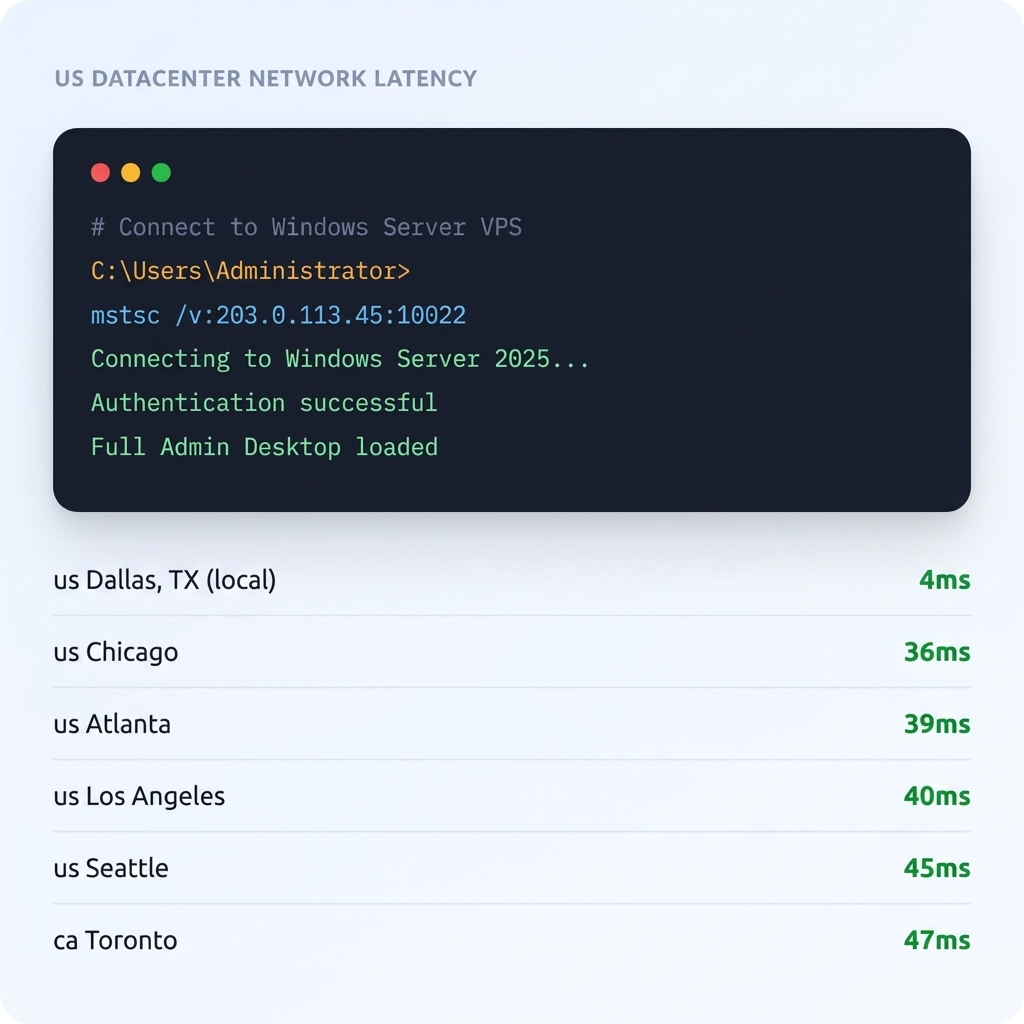
Once your Windows VPS is ready, access your server connection details through the account dashboard or the instructions provided by Bluehost Pakistan. These details typically include your server IP address, Administrator username and password.
2
Open Remote Desktop
Launch the Remote Desktop Connection application on your device. Enter your VPS IP address and connect using the login credentials provided.
You can access your Windows VPS from supported devices, including:
Windows PC
Mac / iOS
Android
3
Full Windows Desktop, Immediately
After successfully logging in, you can access your Windows Server desktop remotely. Use it to manage applications, configure server settings and run compatible software such as IIS, databases and automation tools.
Need Help Connecting?
If you experience connection issues, contact the Bluehost Pakistan support team for assistance with your Windows VPS setup and remote access.
Who It’s For
Is Windows Server VPS Hosting Right for You?
- A strong fit if you…
- Use Windows-based software such as .NET, IIS, MSSQL or other applications that require a Windows environment.
- Need remote access to a Windows desktop through Remote Desktop Protocol (RDP).
- Want to run business applications, automation tools or other Windows-based workloads.
- Require a virtual server with allocated resources for your websites, applications or development projects.
- Need administrative access to configure software and manage server settings.
- Another Hosting Option May Be Better If You…
- Run Linux-based applications such as Docker, Node.js or Python APIs. A Linux VPS from Bluehost Pakistan may be more suitable for your workload.
- Need GPU resources for machine learning, advanced computing or video rendering. Check whether a suitable GPU hosting solution is available.
- Require a server in a specific country or region. Review the available server locations before choosing a plan.
- Prefer a fully managed hosting environment with server administration and maintenance handled by the provider. Check the management and support options included with your VPS plan.
Frequently Asked Questions About Windows Server VPS Hosting
Find answers to common questions about Windows Server VPS Hosting from Bluehost Pakistan, including Windows licensing, Remote Desktop access, server configuration, software compatibility and technical support. Learn more about Windows VPS features and choose a hosting plan that meets your requirements.
What Is the Difference Between Windows Server VPS and Windows VPS?
Windows Server VPS and Windows VPS generally refer to the same type of hosting environment. Both provide a virtual private server running a Windows operating system, allowing users to access and manage applications remotely.
What Are the Benefits of Using Windows Server 2025 for VPS Hosting?
Windows Server 2025 offers updated security features, modern infrastructure capabilities and improved support for current workloads. It can be a suitable choice for new applications and projects that require a recent Windows Server environment.
Is It Possible to Run Linux on a Windows VPS?
A Windows VPS is designed to run a Windows operating system. You may be able to use Linux through supported virtualization or compatibility tools, but this depends on your server configuration. For native Linux workloads, a Linux VPS is generally a better option.
Are There Security Considerations When Hosting Windows VPS?
Yes. Keep your Windows Server updated, use strong passwords and restrict access to authorized users. Configure the firewall, secure RDP connections and install trusted security software to help protect your server.
Can I Use Windows VPS for Hosting Websites and Applications?
Yes. A Windows VPS can host websites and applications that support Windows Server. You can use technologies such as IIS, ASP.NET and compatible database systems to manage your online projects.
Can I Migrate from an Older Windows Server Version to a Newer One?
Yes, migration to a newer Windows Server version may be possible. However, check application compatibility, hardware requirements and licensing before starting. Always create a backup of your important data to reduce the risk of data loss during migration.
Launch Your Windows Server VPS with Bluehost Pakistan
- Windows Server Hosting Environment
- Remote Desktop (RDP) Access
- Allocated Virtual Server Resources
- Flexible Server Configuration
- Support for Windows-Based Applications